
Introduction
Ordering at Starbucks feels simple—until you start customizing. A splash of oat milk here, an extra pump of vanilla there, cold foam on top… and suddenly your “light coffee” turns into a calorie bomb. That’s where a Starbucks calorie calculator becomes a game-changer.
This guide walks you through how calorie calculators work, why custom drinks are tricky, how apps solve the problem, and how to build Starbucks drinks that actually fit your goals—without killing the fun.
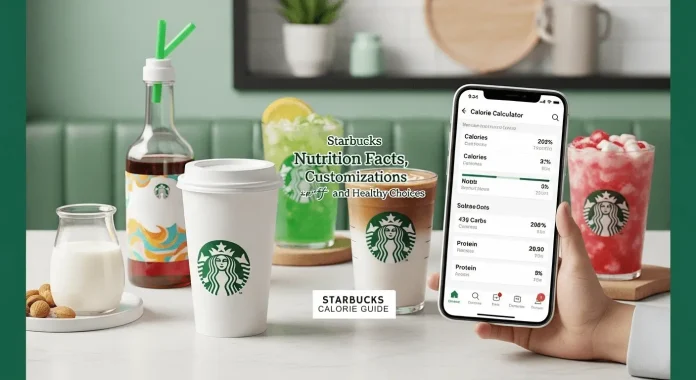
A Starbucks calorie calculator helps you estimate calories for custom drinks by adjusting size, milk, syrups, and toppings before you order.
What Is a Starbucks Calorie Calculator?
A Starbucks calorie calculator is a tool that estimates the total calories of a Starbucks drink based on your exact customizations. Instead of relying on standard menu nutrition (which assumes default ingredients), a calculator adapts to your choices.
Starbucks publishes nutrition facts for basic drinks, but the moment you change the milk, add syrups, or upgrade toppings, those numbers become unreliable. Calorie calculators fill that gap by breaking drinks down into ingredients and recalculating totals in real time.
How a Starbucks Calorie Calculator Works
At its core, a calculator uses Starbucks’ known ingredient data—milk types, syrups, espresso shots, sauces—and assigns calorie values to each. When you customize a drink, it simply adds (or subtracts) calories accordingly.
The smartest calculators allow you to:
- Select drink size
- Choose milk alternatives
- Adjust syrup pumps
- Add or remove toppings
This layered approach mirrors how baristas actually make your drink, which is why calculators are far more accurate than guessing.
Why Calories Matter When Ordering Starbucks Drinks
Coffee itself is low-calorie. The extras are where things escalate fast. Many people underestimate how quickly calories add up when customization becomes habitual.
Understanding calories doesn’t mean avoiding Starbucks—it means ordering with awareness. Once you know what’s driving the calorie count, you can tweak drinks intelligently instead of giving them up entirely.
Starbucks Calorie Calculator for Custom Drinks
Customization is Starbucks’ superpower—and its nutritional blind spot. Every custom drink is essentially a new recipe, which is why a Starbucks custom drink calorie calculator is so valuable.
Customize Size, Milk, Syrups, and Toppings
Drink size alone can double calorie content. Add whole milk instead of almond milk, or extra syrup pumps, and the difference becomes dramatic.
Here’s what custom calculators usually account for:
- Drink size (Tall, Grande, Venti, Trenta)
- Espresso shot count
- Milk type and amount
- Syrup and sauce pumps
- Whipped cream and cold foam
Each element may seem small, but together they define the final calorie count.
Calculate Calories for Any Starbucks Menu Item
From hot lattes to iced refreshers, calorie calculators work across the menu. Whether you’re ordering a classic Cappuccino or a seasonal favorite, the tool adapts to the base drink and builds from there.
This is especially useful for limited-time drinks, where official nutrition info may not clearly explain how customizations affect calories.
Starbucks Custom Drink Calorie Calculator Explained
A good calculator doesn’t just show numbers—it teaches patterns. Over time, users learn which ingredients drive calories the most and which swaps make the biggest difference.
That learning effect is what makes calculators sustainable, not restrictive.
A Starbucks custom drink calorie calculator shows how small changes—like milk swaps or fewer syrup pumps—can reduce calories without sacrificing taste.
Starbucks Calorie Calculator App Features
Using a browser calculator works fine, but many people prefer a Starbucks calorie calculator app for speed and convenience. Apps shine when you’re standing in line or ordering ahead.
Benefits of Using a Starbucks Calorie Calculator App
Apps streamline the experience. Instead of rebuilding drinks every time, many apps let you save favorites or compare variations side by side.
Key benefits include:
- Faster drink customization
- Easy calorie comparisons
- Saved custom orders
- Mobile-friendly design
These features turn calorie tracking into a habit rather than a chore.
Mobile-Friendly Starbucks Calorie Calculator Tools
Mobile calculators are designed for touch input, dropdowns, and sliders. That matters when you’re ordering on the go. A clean interface reduces friction and makes healthier choices easier in real time.
Some apps even integrate visual cues, showing when calorie counts spike after certain additions.
Real-Time Calorie Updates for Custom Orders
Real-time updates are crucial. Seeing calories jump instantly after adding caramel drizzle or cold foam creates awareness without guilt. You’re still in control—you’re just informed.
This immediacy is what separates good calculators from static nutrition charts.
How to Use the Starbucks Calorie Calculator
Using a calorie calculator is straightforward, but knowing how to experiment with it unlocks real value.
Step-by-Step Guide to Building Your Custom Drink
Start with the base drink and size. Then layer in ingredients one at a time. Watch how each change affects the total.
This process encourages intentional ordering instead of autopilot customization.
Adjusting Ingredients to Lower Calories
Instead of removing everything “fun,” smart swaps maintain flavor while cutting calories.
High-impact adjustments include:
- Switching to nonfat or almond milk
- Reducing syrup pumps by one
- Skipping whipped cream
- Choosing sugar-free syrups
These changes often reduce calories dramatically with minimal taste difference.
Comparing Calories Between Different Starbucks Drinks
One of the most powerful uses of a calculator is comparison. You may discover that two drinks you assumed were similar differ by hundreds of calories.
Comparison builds confidence—you’re no longer guessing.
A Starbucks calorie calculator lets you compare drinks instantly, helping you choose lower-calorie options that still match your taste preferences.
Who Should Use a Starbucks Calorie Calculator?
Calorie calculators aren’t just for dieting—they’re for anyone who wants clarity.
Starbucks Calorie Calculator for Weight Loss
For weight loss, consistency matters more than perfection. A calculator helps keep drinks aligned with daily calorie goals without requiring rigid rules.
Instead of avoiding Starbucks, users learn how to order strategically and sustainably.
Tracking Calories for Fitness and Health Goals
Athletes and fitness enthusiasts often use calculators to balance macros or manage energy intake. Knowing whether a drink supports or hinders performance is valuable information.
This is about optimization, not restriction.
Starbucks Calorie Calculator vs Official Nutrition Info
Official Starbucks nutrition charts are helpful—but limited.
Differences Between Standard and Custom Drink Calories
Standard nutrition assumes default recipes. Customizations invalidate those numbers almost immediately. A calculator bridges that gap by recalculating from scratch.
Why a Custom Starbucks Calorie Calculator Is More Accurate
Accuracy comes from specificity. The more closely a calculator mirrors your actual order, the more useful the result.
Below is a simple comparison:
| Feature | Official Nutrition Info | Starbucks Calorie Calculator |
|---|---|---|
| Default drinks | Yes | Yes |
| Custom milk options | Limited | Yes |
| Syrup pump adjustments | No | Yes |
| Real-time updates | No | Yes |
| Drink comparisons | No | Yes |
This difference explains why calculators are becoming the go-to tool for frequent Starbucks customers.
Frequently Asked Questions About Starbucks Calorie Calculators
Is the Starbucks Calorie Calculator Accurate?
Most calculators are estimates, not medical measurements—but they’re accurate enough for daily decision-making. Minor variations may occur due to barista pours, but the margin is small.
Does Starbucks Have an Official Calorie Calculator App?
Starbucks does not currently offer a dedicated calorie calculator for custom drinks. Third-party tools fill this gap by expanding on Starbucks’ published ingredient data.
Can I Save My Custom Drinks in a Calculator App?
Many apps allow saved drinks or favorites, making repeat orders fast and consistent. This feature is especially useful for regular customers.
Conclusion: Take Control of Your Starbucks Order
Starbucks customization is meant to be enjoyable—not confusing or stressful. A Starbucks calorie calculator brings transparency to the process, letting you enjoy your favorite drinks while staying aligned with your goals.
You don’t need to eliminate indulgence. You just need information.
When you understand how size, milk, syrups, and toppings affect calories, you gain freedom—not restriction. Whether you’re managing weight, supporting fitness goals, or simply curious, a Starbucks calorie calculator app makes custom drinks simple again.
A Starbucks calorie calculator simplifies custom drink ordering by showing real calorie counts, helping you enjoy Starbucks while staying informed and in control.
Read More:- Maintenance Calorie Calculator – Including Chipotle Calories

